 SoftGrid Labs

VPK Manager
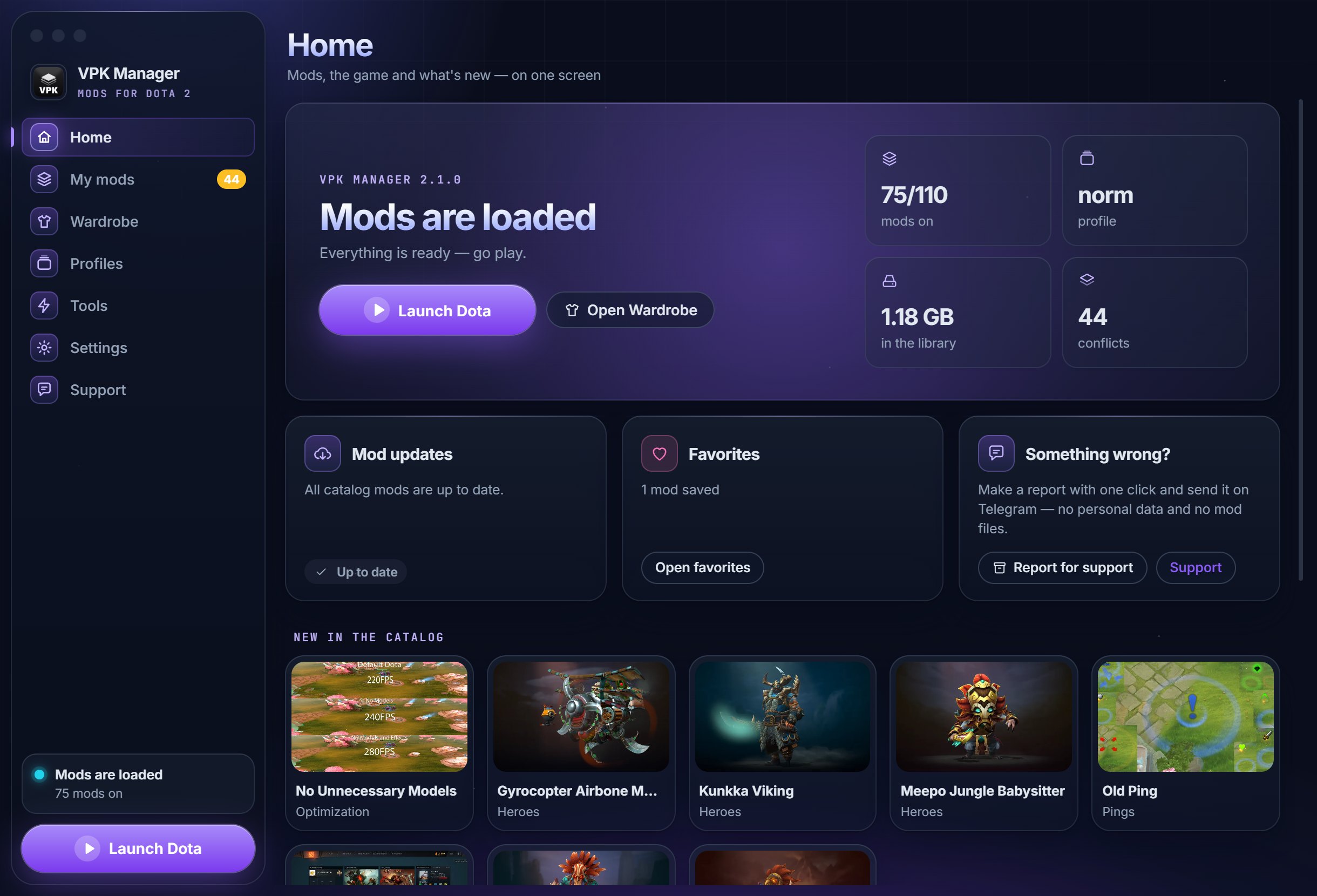
Hero skins, terrains, HUDs and sounds for Dota 2 from a catalog of 1,600+ mods. Installs them without changing Valve's files.
The app needs a SoftGrid Labs account with access. Create one, then press Get access on your account page. New apps without a paid certificate get a SmartScreen warning: More info → Run anyway.
Features
Written in Rust with Tauri. Sits in the tray and puts mods back after Dota patches.
Wardrobe
Catalog · heroes · favorites
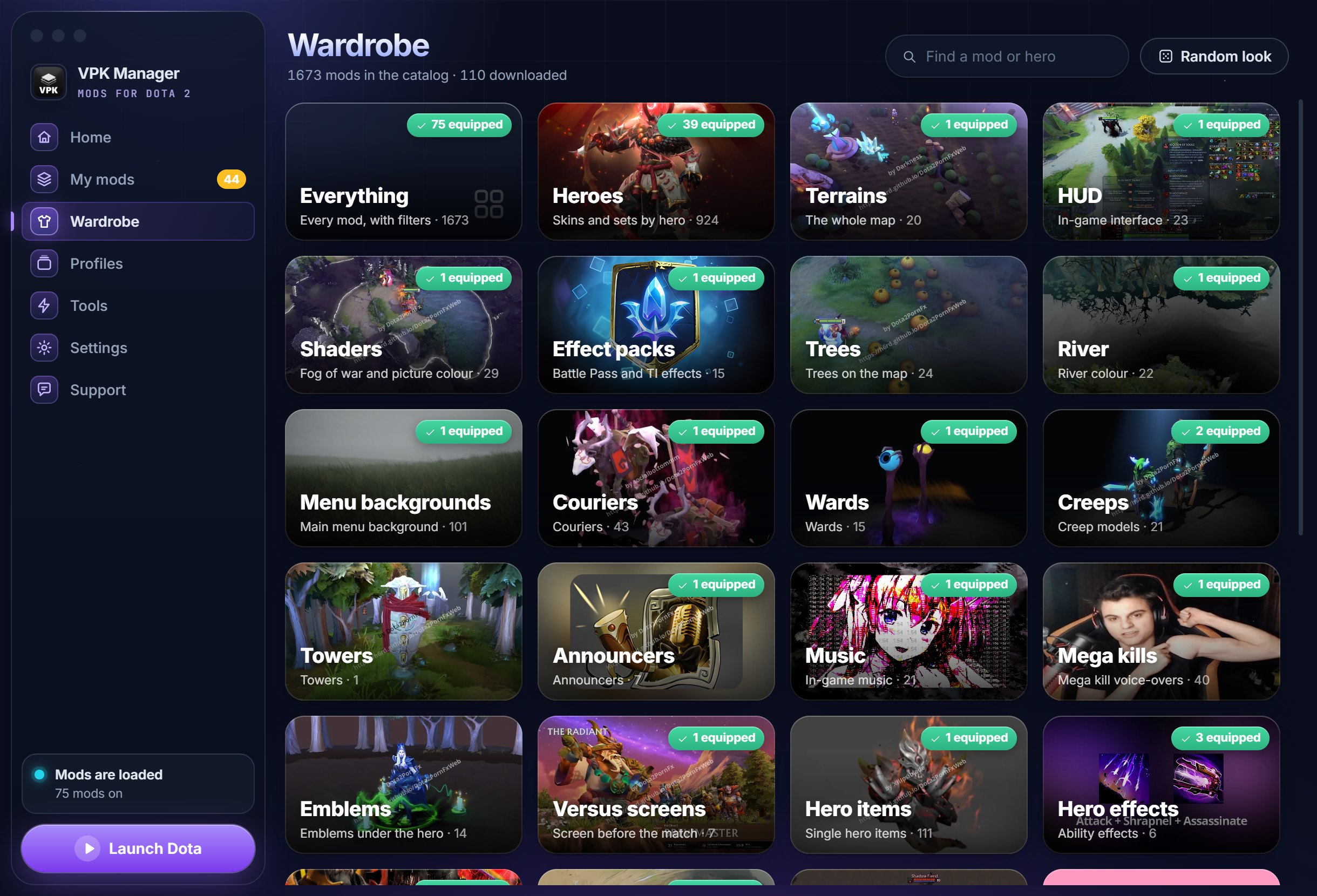
Browse the open community catalog by category or by hero, see a preview of every mod and equip it with one button. Save the ones you like with a heart and come back to them later.
- Random look: new terrain, HUD and hero skins for every game.
- Downloads are checked against the catalog's checksums.
Heroes
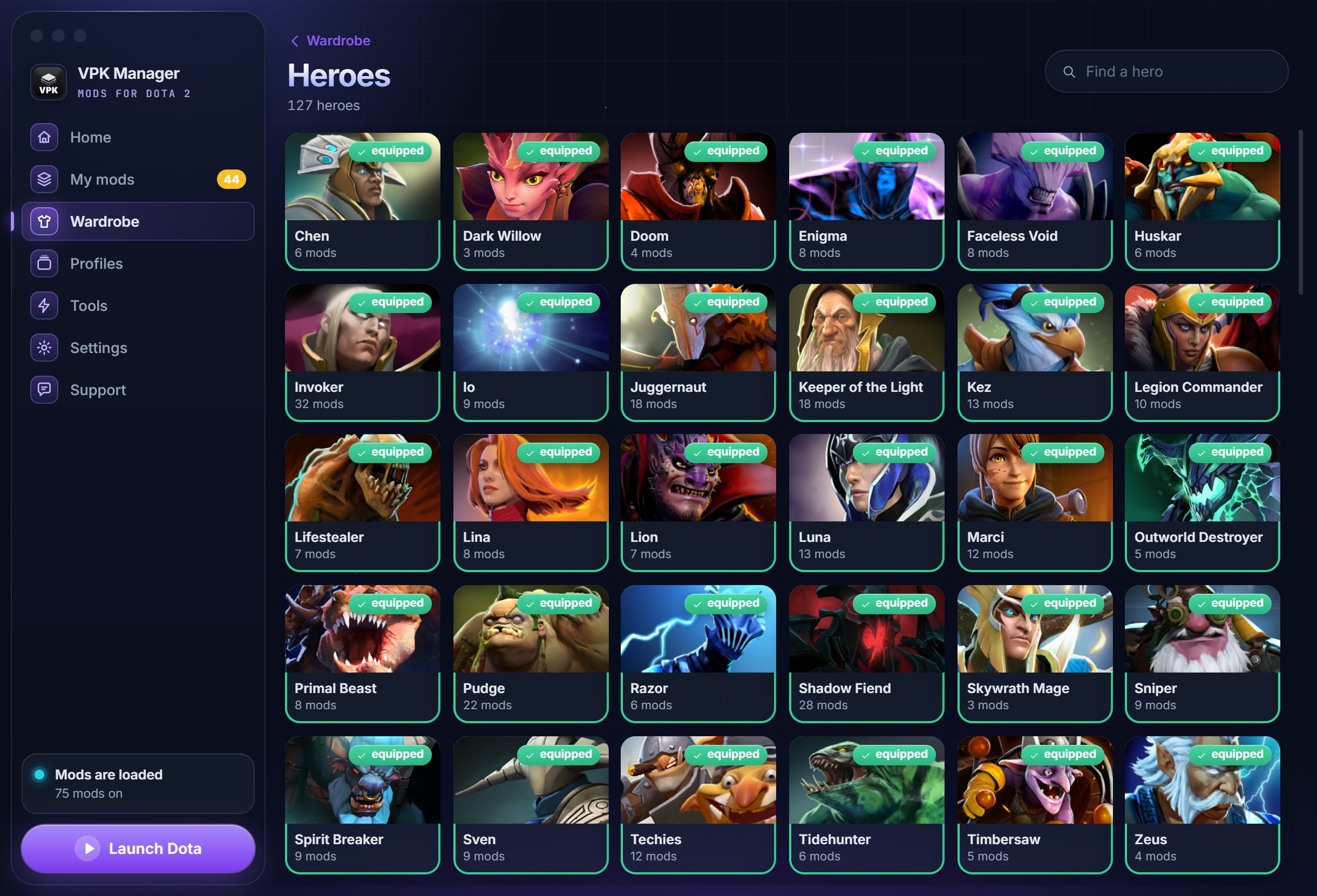
127 heroes · one tap to switch
Pick a hero and see everything the catalog has for it — arcanas, sets, effects. Switching a set swaps the old one out, so nothing clashes.
My mods
Toggles · priority · profiles · undo
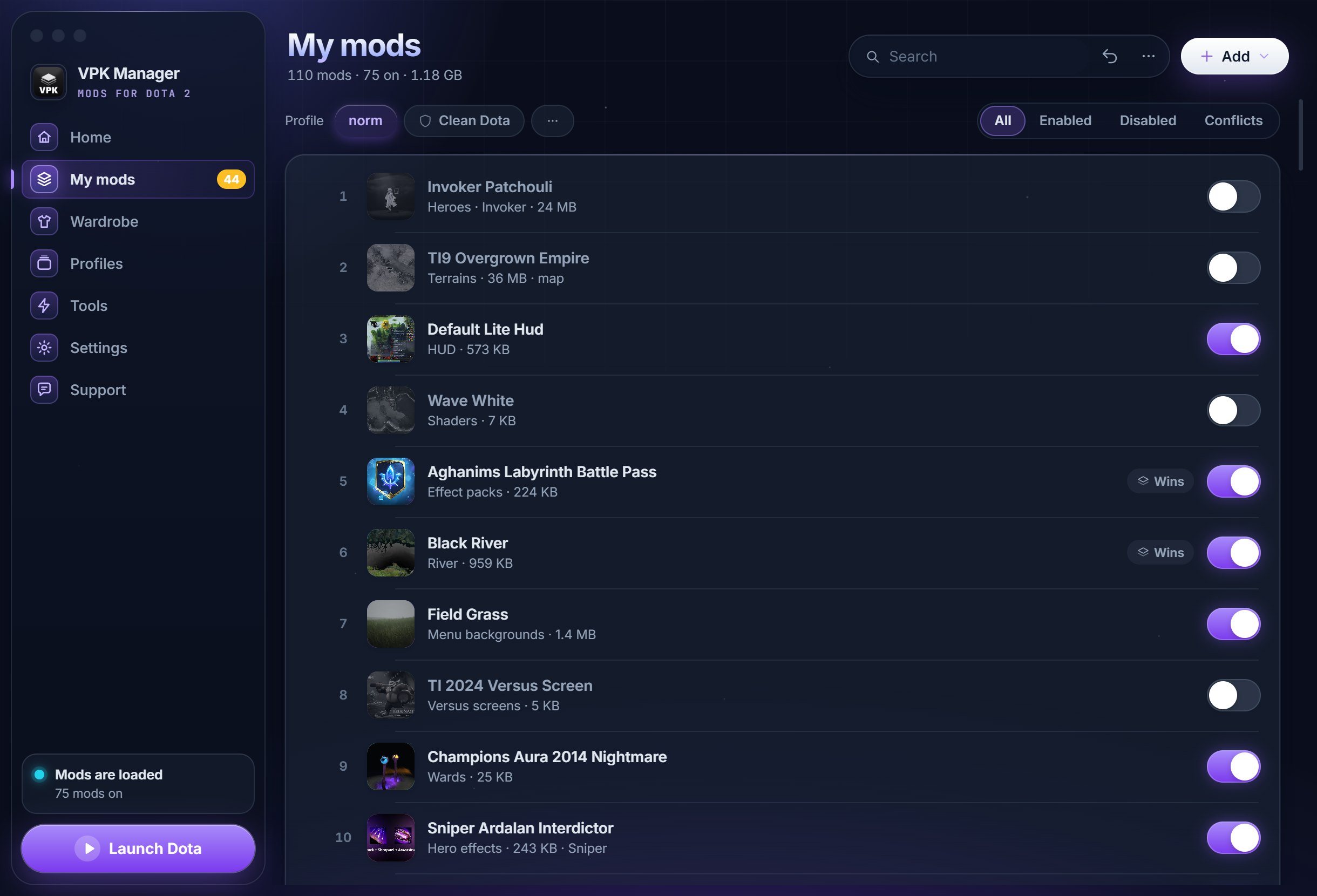
Turn mods on and off, drag to decide who wins a conflict, keep several profiles and switch between them. Any change can be undone, and removed mods wait two weeks in the trash.
- Your own files: drop a .zip, .vpk or a folder onto the window.
- Clean Dota: one click and the game is exactly as Valve shipped it.
After a Dota patch
Auto-repair · updates · tray
When Dota updates, the app quietly rebuilds what it needs and puts your mods back. Catalog mods can update themselves, and the app updates itself from this site.
Data and privacy
Stays on your computer
- Your library, profiles and settings live in
%APPDATA%\VPK Manager. - Anonymous usage stats: when it checks for updates, the app sends a random install ID and its version — nothing else, no name, no mod list. It can be turned off in Settings.
- Your account: the app signs in with your SoftGrid Labs email and checks your access about once a day. See the Privacy Policy.
- Report for support is a zip you create yourself; your Windows user folder is replaced with
%USERPROFILE%, and no mod files go in it. - Other places it talks to: the community mod catalog and its mirrors, Steam (news and hero pictures), and this site for app updates.
Play at your own risk
- Mods change only what you see — other players see the normal game.
- By default mods load through the game language folder with a Steam launch option, so Valve's own files stay untouched.
- The app never patches game signatures or anything related to anti-cheat.
- Valve doesn't officially support modified game files. Clean Dota returns the game to its original state in one click.